
Intro
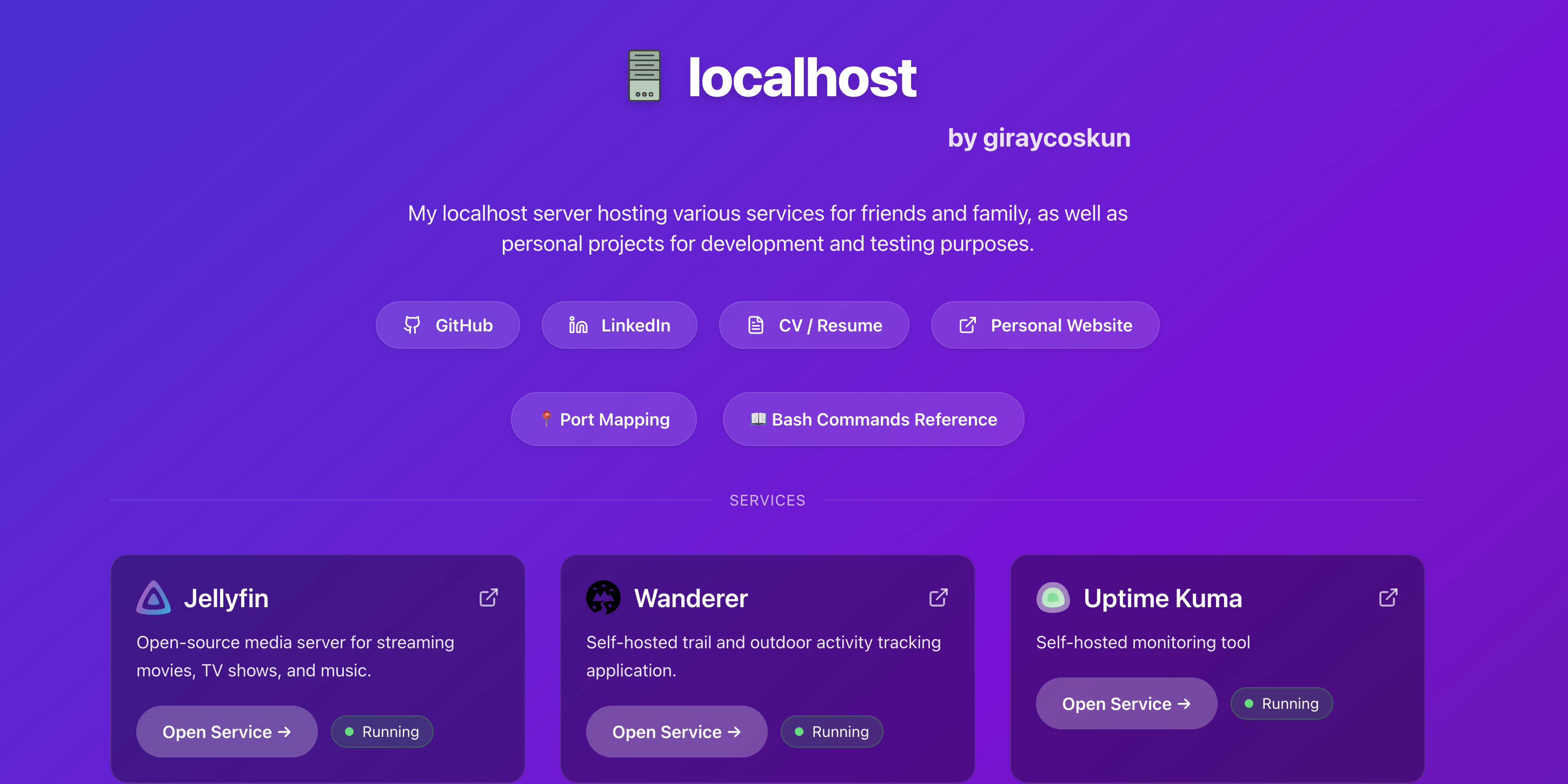
I have a home server that I use for various personal projects and host open source services like jellyfin, booklore, audiobookshelf, and more. This blog is to share my journey of creating my home server from landing page to network setup.
➜ OS: Ubuntu 24.04.3 LT
➜ Architecture: x86-64
➜ Kernel: Linux 6.2.0-37-generic
➜ Device: Beelink MINIS13001
➜ RAM: 16GB DDR4
➜ CPU: Intel(R) N150

Network and Proxy Setup
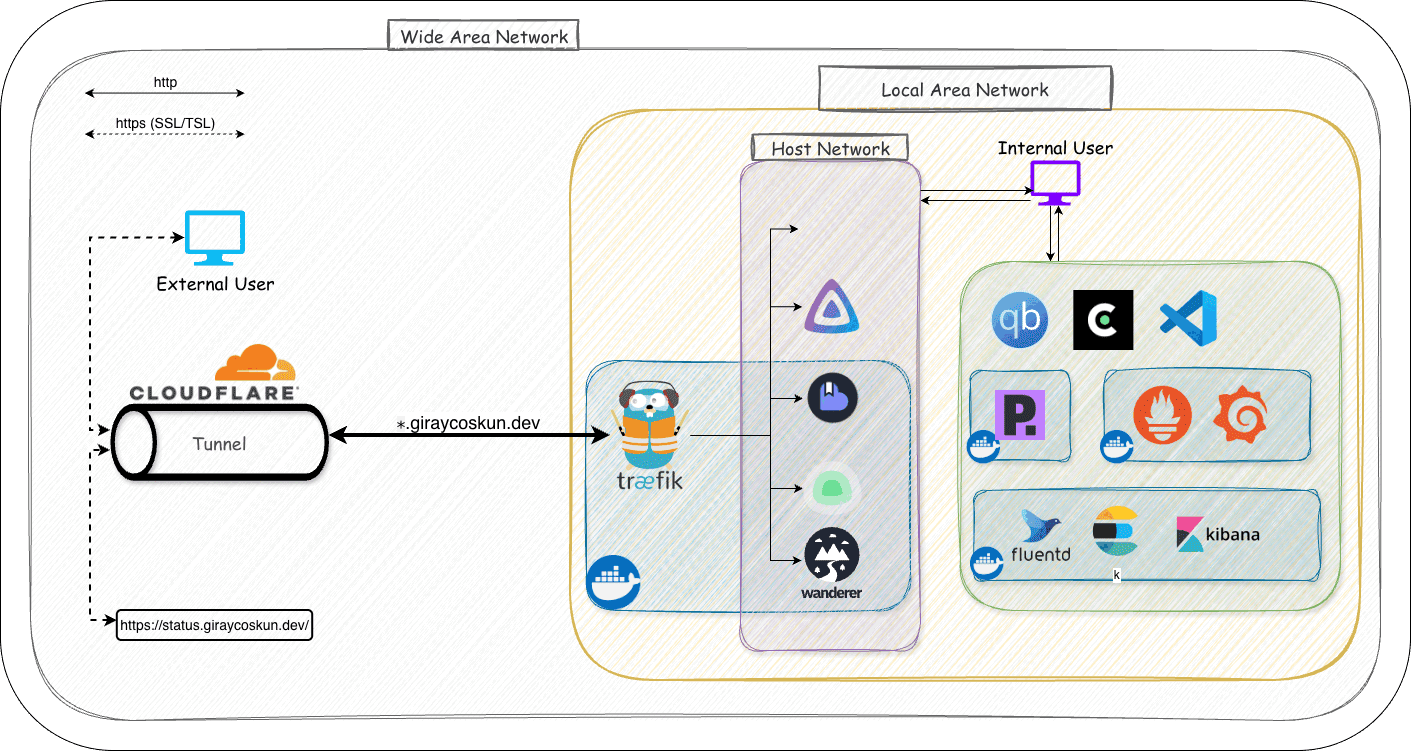
I use Cloudflare Tunnel to expose my home server to the internet securely without opening ports on my router except the bittorrent port. It redirects any traffic from *.giraycoskun.dev to my home server. Initally I configured every service port on Cloudflare Tunnel config but later switched to using Traefik as a reverse proxy to manage routing. CF Tunnel provides SSL/TLS certificates and secure connection to the server while inside server Traefik handles routing to different services based on subdomains and traffic inside is right now unencrypted HTTP.
Traefik is used as a reverse proxy to route traffic to different services based on subdomains. Most services run as containers managed by Docker Compose. Traefik discovers these services based on docker labels and routes traffic accordingly.
Internet → Cloudflare Tunnel → Traefik → Services (Docker containers, Nginx)
                                   ↓
                           SSL/TLS termination
                           Routing & load balancing
VPN Setup
Only paid service I use is for ProtonVPN. I have a Wireguard setup and port forwarding to make bittorent client connectable. Port forwarding is also the only ugly part that I couldn’t figure out a more elegant solution. But also protonvpn doesn’t provide a better solution for now.
There is systemd service using natpmpc tool to keep the port forwarding alive by renewing it. This also might cause the port to change occasionally depending on ProtonVPN’s port allocation policy or reboots. But it is easy to update the port in qbittorrent config and ufw rules.
[Unit]
Description=NAT-PMP Port Forwarding Keep-Alive
After[email protected]
Requires[email protected]

[Service]
ExecStart=/bin/bash -c 'while true ; do date ; natpmpc -a 1 0 udp 60 -g 10.2.0.1 && natpmpc -a 1 0 tcp 60 -g 10.2.0.1 || { echo -e "ERROR with natpmpc command \a" ; break ; } ; sleep 45 ; done'
Restart=always
RestartSec=10

[Install]
WantedBy=multi-user.target
Service Setups
- Systemd Services
- Docker Services
- Cron Services
Systemd Services
I have used systemd for services for which docker isolation creates unnecessary overhead or complexity. These include:
- Cloudflare Tunnel: Important for fast network access as the all network traffic goes through this tunnel.
- Jellyfin Media Server and *arr Services: Runs as a systemd service for better performance and easier access for hardware acceleration.
- Nginx Web Server: Serves the landing page and acts as a reverse proxy for some services. It can also serve my PoC projects that don’t need containerization.
- qbittorrent-nox: Runs as a systemd service to manage file download without volume mounts and integrate with jellyfin and *arr services.
- Wireguard VPN: Provides remote access to bittorent client.
- Port Forwarding:** Manages port forwarding for Wireguard VPN connections.
Docker Services
I use docker-compose to manage containerized applications. Each service has its directory for compose file and mount volumes. Traefik is set up as a reverse proxy to route traffic to these services based on subdomains.
Traefik Config
labels:
  - "traefik.enable=true"
  - "traefik.http.routers.whoami.rule=Host(`whoami.example.com`)"
  - "traefik.http.routers.whoami.entrypoints=web"
Cron Services
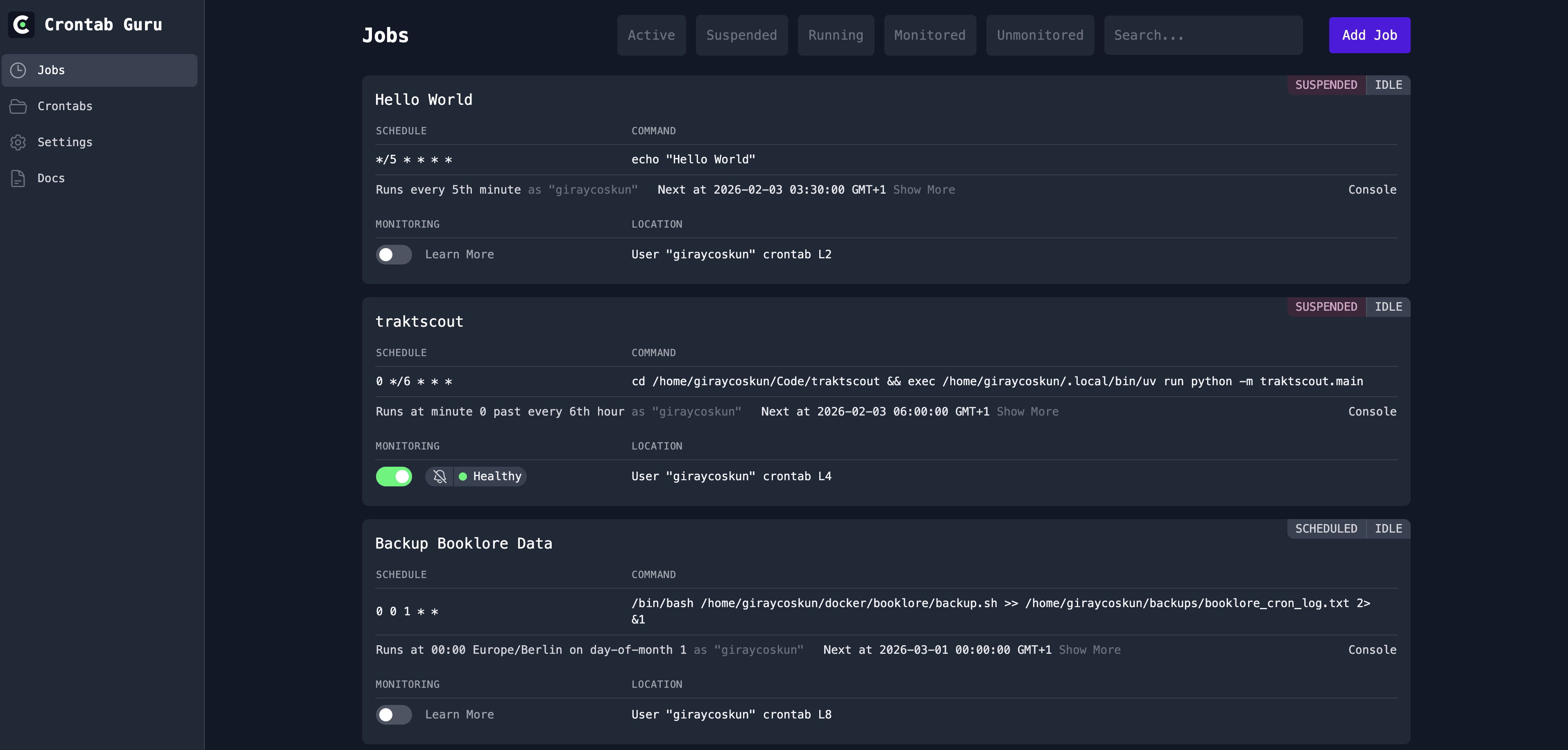
I am using Cronitor’s dashboard (self-hosted) to manage cron jobs.
Use Cases
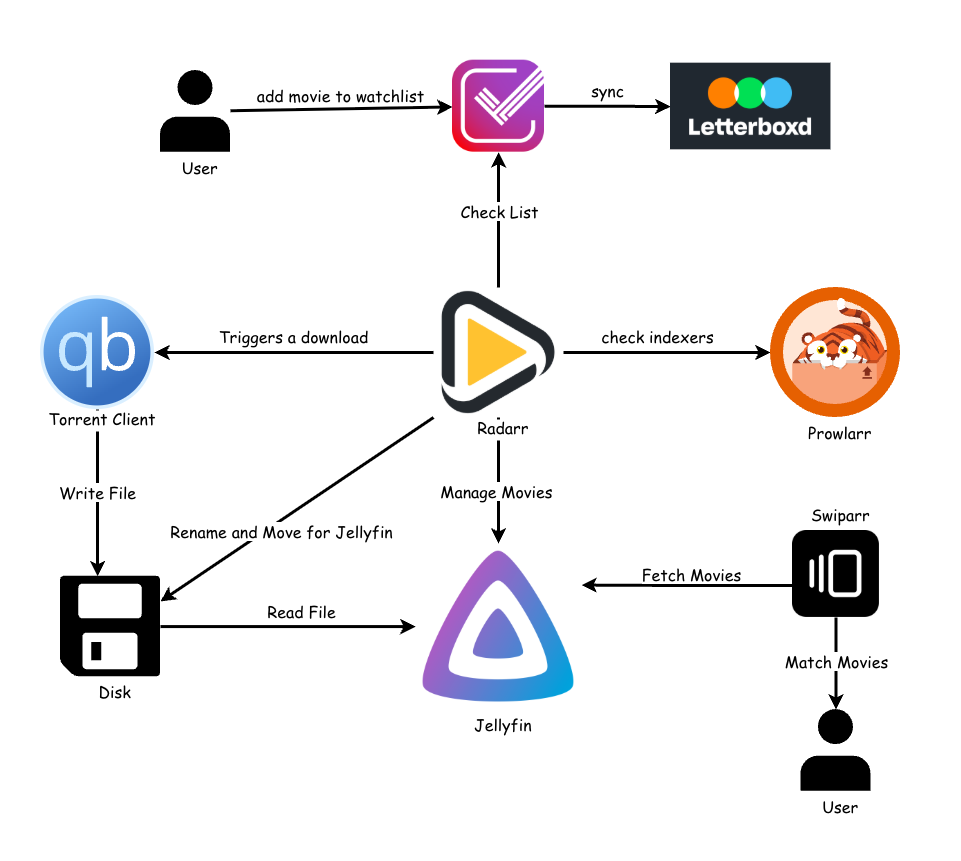
- Media Services (Jellyfin + *arr Services)
- Book Services (Booklore + Audiobookshelf)
- Nginx Web Server
Media Services (Jellyfin + *arr Services)
Book Services (Booklore + Audiobookshelf)
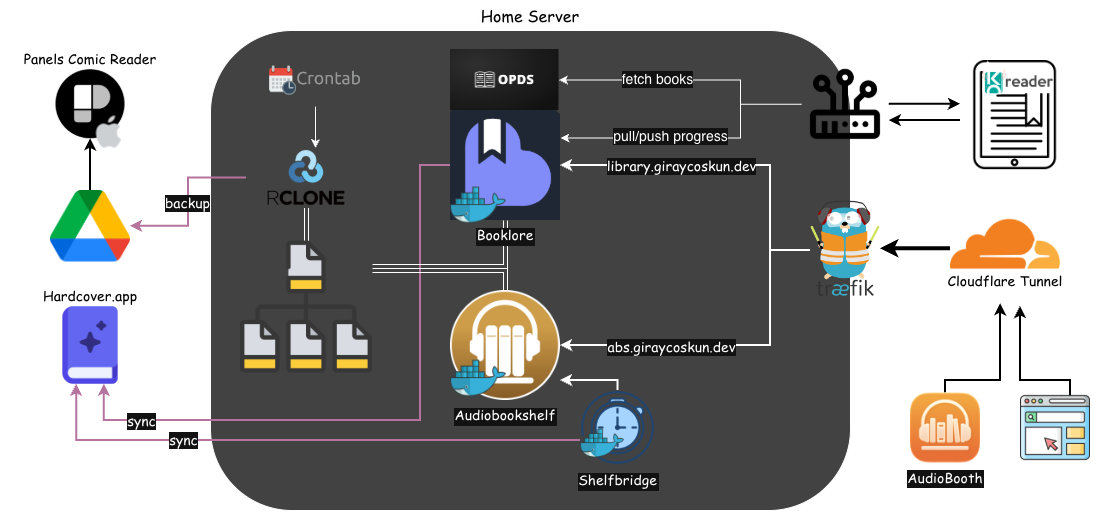
Reading from KOReader → Push Progress to Booklore → Sync with Hardcover.app

Listening from AudioBooth → Sync with Audiobookshelf
                                    ↓
                              Shelfbridge Sync  → Sync with Hardcover.app

Reading from Booklore → Pull progress from KOReader
                ↓
    Sync with Hardcover.app
Nginx Setup
Nginx for now is used to serve 3 main things:
- Landing Page and Github Webhook Listener for automatic deployment of the page
- Serve static assets for my personal page
- Reverse Proxy for some internal services that don’t need containerization
Landing Page
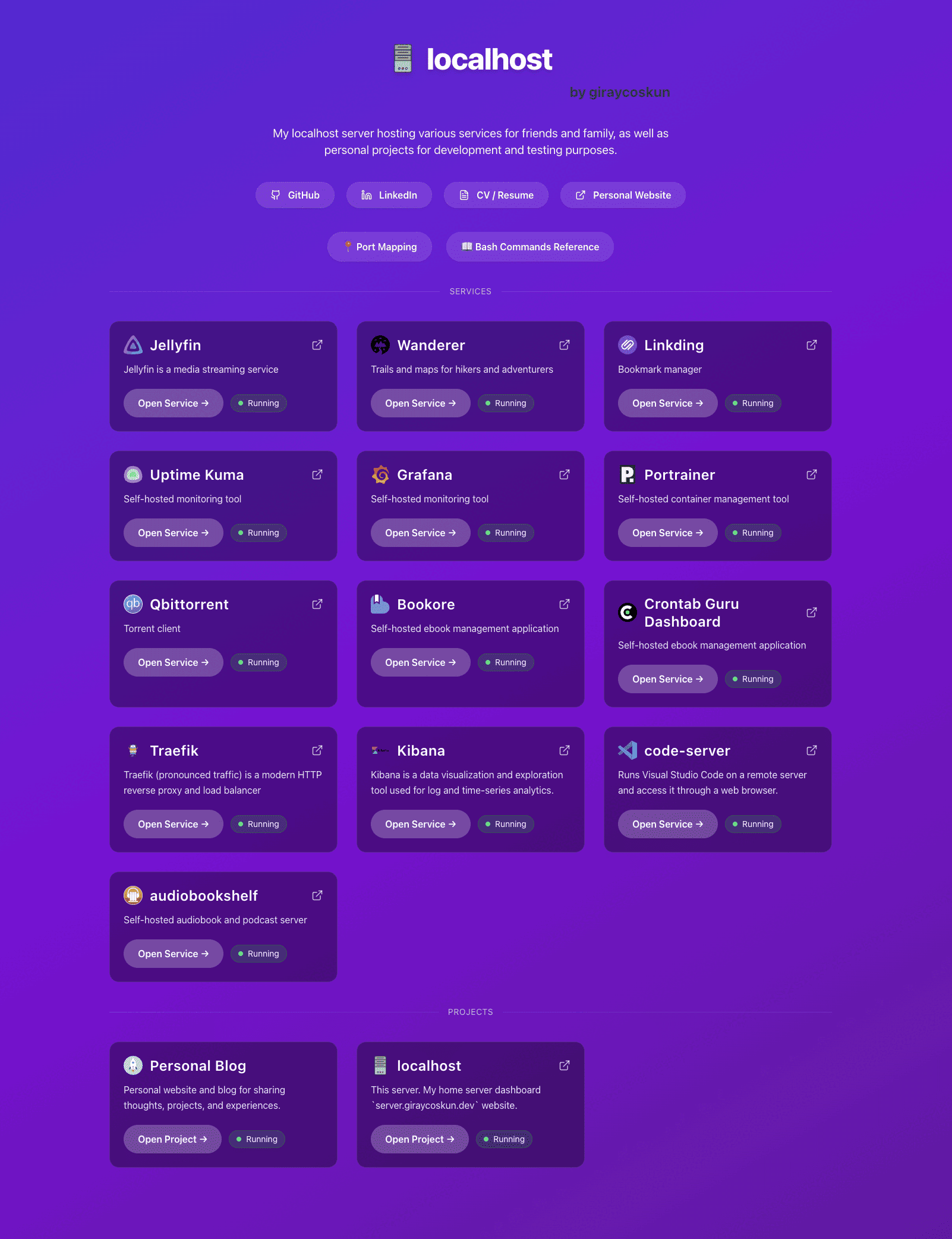
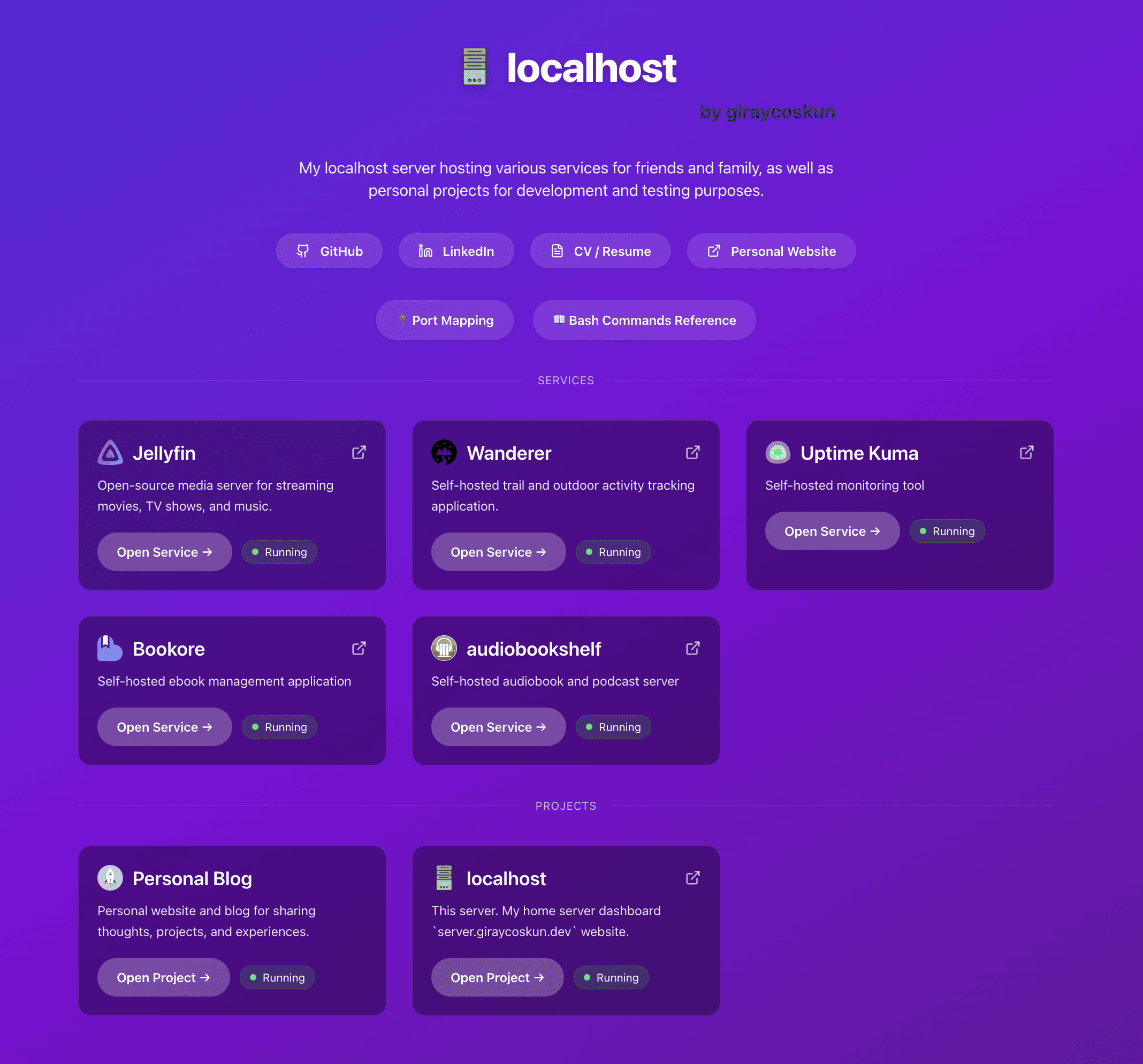
I wanted a custom landing page to keep notes and port map as well as a dashboard for access to my services. I ahve more services in the LAN than the public so I have two versions of data shown on the landing page depending on if I’m accessing it from local network or external network. 2 versions are built with webhook-server and served by nginx based on the source IP.
You can check out the project on GitHub: giraycoskun/server.giraycoskun.dev
Summary
This setup provides:
- ✅ Secure external access without port forwarding via
Cloudflare Tunnel - ✅ Automatic TLS/SSL certificates via
Cloudflare - ✅ Easy service discovery and routing via
Traefik - ✅ Containerized applications with
Docker - ✅ System-level service management with
systemd